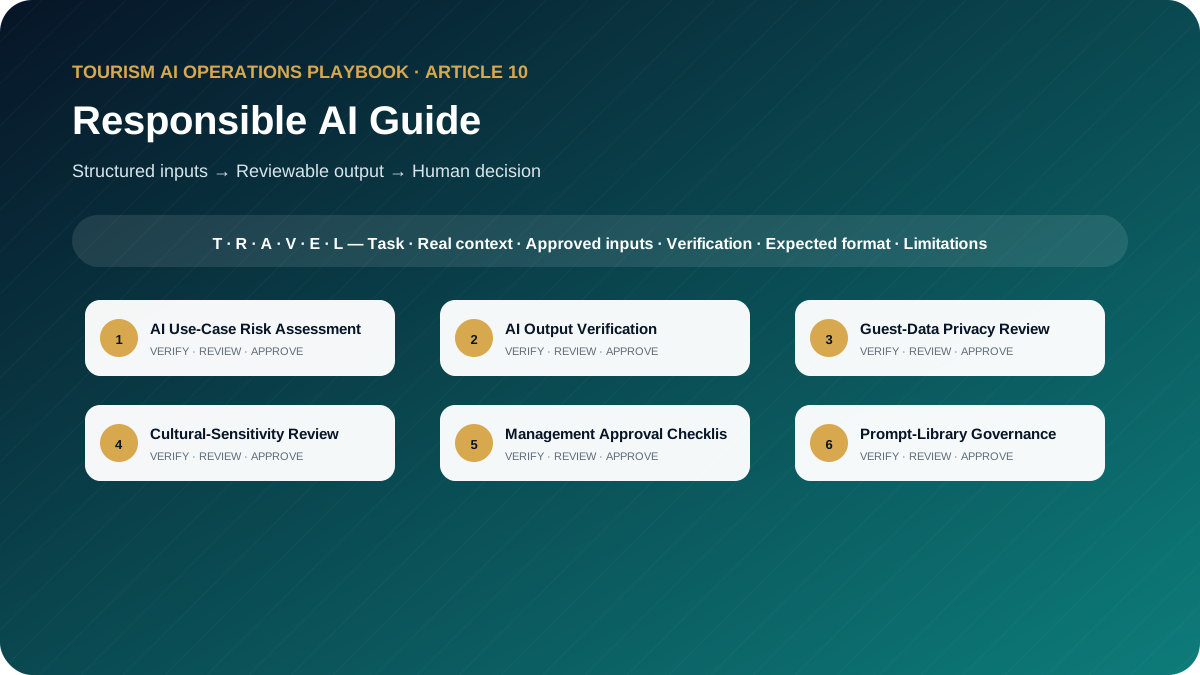
Responsible AI Guide: the professional principle
Responsible AI in tourism means approved use cases, minimum necessary data, verifiable outputs, clear access, trained employees and a named human accountable for decisions.
Target audience
Tourism executives, operations and quality leaders, data and privacy teams, HR and training teams, department managers, product owners and small travel-business owners.
This is a working guide for people who already understand that tourism is delivered through connected handovers. The prompts are designed to improve preparation, consistency and visibility; they do not transfer authority from the trained employee to the AI system.
Why this topic matters in tourism
Tourism companies handle guest data, supplier information, live operational decisions and culturally sensitive communication. Responsible AI is therefore an operating discipline, not a disclaimer. Companies need clear use cases, approved tools, access rules, verification, incident handling and accountable human decisions.
The guide translates recognised risk and ethics principles into practical controls for travel companies. It is not legal advice. Organisations should obtain qualified legal, privacy and cybersecurity guidance when their jurisdiction, systems or data require it.
AI may organise information and propose a structure. It must not manufacture the confirmed operational reality. When the source of truth changes, the employee must update the inputs and verify the output again.
Responsible AI rules for this toolkit
- Minimise data and use only approved tools, accounts and use cases.
- Classify the risk before deployment and increase controls for guest-impacting decisions.
- Keep a named human accountable for every operational or commercial output.
- Log prompt versions, material outputs, incidents and corrective actions where appropriate.
- Review cultural sensitivity, accessibility and potential bias with relevant expertise.
Companies should adapt these rules to approved tools, information-security controls, local law, supplier contracts and internal authority. When the implications are legal, privacy-related or cybersecurity-related, qualified specialists should be consulted.
The TRAVEL prompting framework
Every template in this playbook follows one memorable structure. The aim is not to make prompts longer for their own sake. It is to place the information, controls and approval points that a tourism professional needs in the right order.
state the professional perspective and the business decision to support.
include the destination, service type, timing, guest journey stage and confirmed constraints.
define the guest or client profile and provide only verified, permitted information.
require source labels, assumptions, uncertainty flags and a check against official or approved records.
specify the exact structure, priority order, tone, length and escalation path.
prohibit invention, protect data and identify who approves the final output.
In one sentence: a professional tourism prompt identifies the task, supplies the real operating context, defines the audience and approved inputs, demands a verifiable structure, explains exceptions and keeps privacy plus final authority with a human.
Ten professional prompt templates
Each prompt contains editable placeholders and a built-in stop rule for missing information. Copy it, replace the placeholders with approved facts and keep the verification and human-approval sections intact. The templates are intentionally detailed because the omitted detail is often where a tourism failure begins.
AI Use-Case Risk Assessment
Classify a proposed ai use case and define proportionate controls before approval.
When to use it
Use it for a controlled draft before information reaches a guest, supplier, colleague or manager.
Example: A DMC considers AI-assisted guide assignment recommendations.
Required inputs
- use case
- users
- affected people
- decision
- data
- tool
- model access
- output destination
- consequences
- frequency
- alternatives
Expected outputs
- risk classification
- harm scenarios
- privacy
- bias
- accuracy
- security
- controls
- residual risk
- decision gate
AI Use-Case Risk Assessment
ROLE
Act as a responsible AI risk lead for a tourism company in a professional tourism organisation.

TASK
Classify a proposed ai use case and define proportionate controls before approval.

CONTEXT
Destination/service: [Insert confirmed details]
Date, operating stage and guest/client profile: [Insert approved information]
Sources of truth: [List approved systems, confirmations, SOPs or official sources]

INPUTS
Provide: use case; users; affected people; decision; data; tool; model access; output destination; consequences; frequency; alternatives.
If an essential input is missing, contradictory or unconfirmed, stop and list what is required, its owner and source. Do not guess.

OUTPUT
Return: risk classification; harm scenarios; privacy; bias; accuracy; security; controls; residual risk; decision gate. Separate confirmed facts, assumptions, recommendations and pending items. Label dynamic facts with their source and verification date when supplied.

LIMITS
Do not approve the use case. Present evidence gaps and required accountable reviewers.

PRIVACY AND APPROVAL
Exclude unnecessary personal data, identity or payment details, confidential rates, contracts and security information. Finish with verification actions, unresolved questions and the final approver’s role. The output remains a draft until that person checks it against approved sources.
Replace every placeholder and keep unresolved items visible until an authorised professional reviews them.
AI Output Verification
Verify a material ai output against supplied approved evidence and release criteria.
When to use it
Use it for a controlled draft before information reaches a guest, supplier, colleague or manager.
Example: An AI-generated itinerary is being prepared for a client proposal.
Required inputs
- prompt version
- output
- source pack
- dynamic facts
- business rules
- intended use
- reviewer competence
- deadline
Expected outputs
- claim register
- source match
- uncertainty
- contradictions
- correction
- final human decision record
AI Output Verification
ROLE
Act as a tourism AI assurance reviewer in a professional tourism organisation.

TASK
Verify a material ai output against supplied approved evidence and release criteria.

CONTEXT
Destination/service: [Insert confirmed details]
Date, operating stage and guest/client profile: [Insert approved information]
Sources of truth: [List approved systems, confirmations, SOPs or official sources]

INPUTS
Provide: prompt version; output; source pack; dynamic facts; business rules; intended use; reviewer competence; deadline.
If an essential input is missing, contradictory or unconfirmed, stop and list what is required, its owner and source. Do not guess.

OUTPUT
Return: claim register; source match; uncertainty; contradictions; correction; final human decision record. Separate confirmed facts, assumptions, recommendations and pending items. Label dynamic facts with their source and verification date when supplied.

LIMITS
Fluency and confidence are not evidence.

PRIVACY AND APPROVAL
Exclude unnecessary personal data, identity or payment details, confidential rates, contracts and security information. Finish with verification actions, unresolved questions and the final approver’s role. The output remains a draft until that person checks it against approved sources.
Replace every placeholder and keep unresolved items visible until an authorised professional reviews them.
Guest-Data Privacy Review
Check whether an ai workflow uses the minimum necessary guest data and approved controls.
When to use it
Use it for a controlled draft before information reaches a guest, supplier, colleague or manager.
Example: A complaint-analysis workflow would process emails and booking notes.
Required inputs
- purpose
- data fields
- sensitivity
- source
- tool
- account
- location
- retention
- access
- sharing
- deletion
- alternatives
Expected outputs
- data inventory
- necessity test
- prohibited fields
- de-identification
- access controls
- retention questions
- escalation
Guest-Data Privacy Review
ROLE
Act as a tourism privacy operations coordinator in a professional tourism organisation.

TASK
Check whether an ai workflow uses the minimum necessary guest data and approved controls.

CONTEXT
Destination/service: [Insert confirmed details]
Date, operating stage and guest/client profile: [Insert approved information]
Sources of truth: [List approved systems, confirmations, SOPs or official sources]

INPUTS
Provide: purpose; data fields; sensitivity; source; tool; account; location; retention; access; sharing; deletion; alternatives.
If an essential input is missing, contradictory or unconfirmed, stop and list what is required, its owner and source. Do not guess.

OUTPUT
Return: data inventory; necessity test; prohibited fields; de-identification; access controls; retention questions; escalation. Separate confirmed facts, assumptions, recommendations and pending items. Label dynamic facts with their source and verification date when supplied.

LIMITS
Do not provide legal conclusions; refer jurisdiction-specific questions to qualified counsel.

PRIVACY AND APPROVAL
Exclude unnecessary personal data, identity or payment details, confidential rates, contracts and security information. Finish with verification actions, unresolved questions and the final approver’s role. The output remains a draft until that person checks it against approved sources.
Replace every placeholder and keep unresolved items visible until an authorised professional reviews them.
Cultural-Sensitivity Review
Review ai-generated tourism content for bias, stereotyping, disrespect and context loss.
When to use it
Use it for a controlled draft before information reaches a guest, supplier, colleague or manager.
Example: A guide-training module contains generated examples about local customs.
Required inputs
- content
- audience
- destination
- language
- cultural guidance
- affected communities
- purpose
- channel
Expected outputs
- risk passages
- reasons
- respectful alternatives
- facts requiring local review
- accessibility and inclusion notes
Cultural-Sensitivity Review
ROLE
Act as a destination culture and inclusion reviewer in a professional tourism organisation.

TASK
Review ai-generated tourism content for bias, stereotyping, disrespect and context loss.

CONTEXT
Destination/service: [Insert confirmed details]
Date, operating stage and guest/client profile: [Insert approved information]
Sources of truth: [List approved systems, confirmations, SOPs or official sources]

INPUTS
Provide: content; audience; destination; language; cultural guidance; affected communities; purpose; channel.
If an essential input is missing, contradictory or unconfirmed, stop and list what is required, its owner and source. Do not guess.

OUTPUT
Return: risk passages; reasons; respectful alternatives; facts requiring local review; accessibility and inclusion notes. Separate confirmed facts, assumptions, recommendations and pending items. Label dynamic facts with their source and verification date when supplied.

LIMITS
Do not present one reviewer as speaking for an entire culture.

PRIVACY AND APPROVAL
Exclude unnecessary personal data, identity or payment details, confidential rates, contracts and security information. Finish with verification actions, unresolved questions and the final approver’s role. The output remains a draft until that person checks it against approved sources.
Replace every placeholder and keep unresolved items visible until an authorised professional reviews them.
Management Approval Checklist
Prepare the approval pack required before a department launches an ai use case.
When to use it
Use it for a controlled draft before information reaches a guest, supplier, colleague or manager.
Example: Guest services wants to launch an AI drafting assistant for routine messages.
Required inputs
- use case
- owner
- risk assessment
- tool approval
- data review
- prompt
- tests
- training
- monitoring
- incident route
- rollback
Expected outputs
- approval checklist
- required sign-offs
- unresolved blockers
- launch conditions
- review date
- evidence archive
Management Approval Checklist
ROLE
Act as a AI governance programme manager in a professional tourism organisation.

TASK
Prepare the approval pack required before a department launches an ai use case.

CONTEXT
Destination/service: [Insert confirmed details]
Date, operating stage and guest/client profile: [Insert approved information]
Sources of truth: [List approved systems, confirmations, SOPs or official sources]

INPUTS
Provide: use case; owner; risk assessment; tool approval; data review; prompt; tests; training; monitoring; incident route; rollback.
If an essential input is missing, contradictory or unconfirmed, stop and list what is required, its owner and source. Do not guess.

OUTPUT
Return: approval checklist; required sign-offs; unresolved blockers; launch conditions; review date; evidence archive. Separate confirmed facts, assumptions, recommendations and pending items. Label dynamic facts with their source and verification date when supplied.

LIMITS
No checkbox may be marked complete without supplied evidence.

PRIVACY AND APPROVAL
Exclude unnecessary personal data, identity or payment details, confidential rates, contracts and security information. Finish with verification actions, unresolved questions and the final approver’s role. The output remains a draft until that person checks it against approved sources.
Replace every placeholder and keep unresolved items visible until an authorised professional reviews them.
Prompt-Library Governance
Design governance for an approved prompt library across departments.
When to use it
Use it for a controlled draft before information reaches a guest, supplier, colleague or manager.
Example: A travel company has 60 prompts created informally by employees.
Required inputs
- departments
- use cases
- roles
- risk tiers
- repository
- access
- versioning
- tests
- review cadence
- retirement
- audit needs
Expected outputs
- operating model
- metadata standard
- workflow
- access matrix
- version control
- review
- retirement
- KPIs
Prompt-Library Governance
ROLE
Act as a tourism knowledge and AI controls manager in a professional tourism organisation.

TASK
Design governance for an approved prompt library across departments.

CONTEXT
Destination/service: [Insert confirmed details]
Date, operating stage and guest/client profile: [Insert approved information]
Sources of truth: [List approved systems, confirmations, SOPs or official sources]

INPUTS
Provide: departments; use cases; roles; risk tiers; repository; access; versioning; tests; review cadence; retirement; audit needs.
If an essential input is missing, contradictory or unconfirmed, stop and list what is required, its owner and source. Do not guess.

OUTPUT
Return: operating model; metadata standard; workflow; access matrix; version control; review; retirement; KPIs. Separate confirmed facts, assumptions, recommendations and pending items. Label dynamic facts with their source and verification date when supplied.

LIMITS
Do not allow unrestricted editing of approved high-risk prompts.

PRIVACY AND APPROVAL
Exclude unnecessary personal data, identity or payment details, confidential rates, contracts and security information. Finish with verification actions, unresolved questions and the final approver’s role. The output remains a draft until that person checks it against approved sources.
Replace every placeholder and keep unresolved items visible until an authorised professional reviews them.
AI Incident Reporting
Create a report and response workflow for harmful, incorrect or unauthorised ai use.
When to use it
Use it for a controlled draft before information reaches a guest, supplier, colleague or manager.
Example: An employee pastes identifiable passport information into an unapproved chatbot.
Required inputs
- incident
- time
- tool
- use case
- output
- affected people
- data
- action taken
- evidence
- reporting duties unknown
- owner
Expected outputs
- classification
- containment
- factual chronology
- impact
- notifications for expert decision
- root-cause questions
- CAPA
- closure
AI Incident Reporting
ROLE
Act as a tourism AI incident coordinator in a professional tourism organisation.

TASK
Create a report and response workflow for harmful, incorrect or unauthorised ai use.

CONTEXT
Destination/service: [Insert confirmed details]
Date, operating stage and guest/client profile: [Insert approved information]
Sources of truth: [List approved systems, confirmations, SOPs or official sources]

INPUTS
Provide: incident; time; tool; use case; output; affected people; data; action taken; evidence; reporting duties unknown; owner.
If an essential input is missing, contradictory or unconfirmed, stop and list what is required, its owner and source. Do not guess.

OUTPUT
Return: classification; containment; factual chronology; impact; notifications for expert decision; root-cause questions; CAPA; closure. Separate confirmed facts, assumptions, recommendations and pending items. Label dynamic facts with their source and verification date when supplied.

LIMITS
Preserve evidence and avoid unsupported legal or technical conclusions.

PRIVACY AND APPROVAL
Exclude unnecessary personal data, identity or payment details, confidential rates, contracts and security information. Finish with verification actions, unresolved questions and the final approver’s role. The output remains a draft until that person checks it against approved sources.
Replace every placeholder and keep unresolved items visible until an authorised professional reviews them.
Employee AI Usage Policy
Draft a practical internal ai usage policy aligned with supplied company decisions.
When to use it
Use it for a controlled draft before information reaches a guest, supplier, colleague or manager.
Example: A mid-sized DMC needs its first employee AI policy.
Required inputs
- approved tools
- permitted uses
- prohibited data
- human review
- high-risk decisions
- intellectual property
- records
- incidents
- training
- sanctions process
Expected outputs
- purpose
- scope
- permitted/prohibited
- data rules
- review
- disclosure
- incidents
- training
- ownership
- version
Employee AI Usage Policy
ROLE
Act as a tourism policy and operations specialist in a professional tourism organisation.

TASK
Draft a practical internal ai usage policy aligned with supplied company decisions.

CONTEXT
Destination/service: [Insert confirmed details]
Date, operating stage and guest/client profile: [Insert approved information]
Sources of truth: [List approved systems, confirmations, SOPs or official sources]

INPUTS
Provide: approved tools; permitted uses; prohibited data; human review; high-risk decisions; intellectual property; records; incidents; training; sanctions process.
If an essential input is missing, contradictory or unconfirmed, stop and list what is required, its owner and source. Do not guess.

OUTPUT
Return: purpose; scope; permitted/prohibited; data rules; review; disclosure; incidents; training; ownership; version. Separate confirmed facts, assumptions, recommendations and pending items. Label dynamic facts with their source and verification date when supplied.

LIMITS
State that legal, privacy, HR and cybersecurity specialists must review the policy where required.

PRIVACY AND APPROVAL
Exclude unnecessary personal data, identity or payment details, confidential rates, contracts and security information. Finish with verification actions, unresolved questions and the final approver’s role. The output remains a draft until that person checks it against approved sources.
Replace every placeholder and keep unresolved items visible until an authorised professional reviews them.
AI Training Assessment
Assess whether employees can use approved ai tools safely in tourism scenarios.
When to use it
Use it for a controlled draft before information reaches a guest, supplier, colleague or manager.
Example: Guides, sales staff and operations coordinators complete role-specific AI training.
Required inputs
- policy
- learning objectives
- roles
- risk tiers
- allowed tools
- prohibited data
- verification standard
- incident process
Expected outputs
- knowledge questions
- scenario tasks
- scoring
- critical-fail items
- answer guide
- remediation
- reassessment
AI Training Assessment
ROLE
Act as a responsible AI training designer in a professional tourism organisation.

TASK
Assess whether employees can use approved ai tools safely in tourism scenarios.

CONTEXT
Destination/service: [Insert confirmed details]
Date, operating stage and guest/client profile: [Insert approved information]
Sources of truth: [List approved systems, confirmations, SOPs or official sources]

INPUTS
Provide: policy; learning objectives; roles; risk tiers; allowed tools; prohibited data; verification standard; incident process.
If an essential input is missing, contradictory or unconfirmed, stop and list what is required, its owner and source. Do not guess.

OUTPUT
Return: knowledge questions; scenario tasks; scoring; critical-fail items; answer guide; remediation; reassessment. Separate confirmed facts, assumptions, recommendations and pending items. Label dynamic facts with their source and verification date when supplied.

LIMITS
Do not certify competence when a learner fails a privacy, safety or accountability control.

PRIVACY AND APPROVAL
Exclude unnecessary personal data, identity or payment details, confidential rates, contracts and security information. Finish with verification actions, unresolved questions and the final approver’s role. The output remains a draft until that person checks it against approved sources.
Replace every placeholder and keep unresolved items visible until an authorised professional reviews them.
Quarterly AI Governance Review
Prepare a quarterly review of use cases, incidents, performance and control effectiveness.
When to use it
Use it for a controlled draft before information reaches a guest, supplier, colleague or manager.
Example: Leadership reviews ten approved use cases after the first quarter.
Required inputs
- AI register
- owners
- usage
- tests
- incidents
- complaints
- privacy issues
- model changes
- prompt versions
- training
- audits
- regulations for counsel
Expected outputs
- dashboard
- material changes
- control failures
- overdue reviews
- use-case decisions
- actions
- next-quarter agenda
Quarterly AI Governance Review
ROLE
Act as a tourism executive AI governance secretary in a professional tourism organisation.

TASK
Prepare a quarterly review of use cases, incidents, performance and control effectiveness.

CONTEXT
Destination/service: [Insert confirmed details]
Date, operating stage and guest/client profile: [Insert approved information]
Sources of truth: [List approved systems, confirmations, SOPs or official sources]

INPUTS
Provide: AI register; owners; usage; tests; incidents; complaints; privacy issues; model changes; prompt versions; training; audits; regulations for counsel.
If an essential input is missing, contradictory or unconfirmed, stop and list what is required, its owner and source. Do not guess.

OUTPUT
Return: dashboard; material changes; control failures; overdue reviews; use-case decisions; actions; next-quarter agenda. Separate confirmed facts, assumptions, recommendations and pending items. Label dynamic facts with their source and verification date when supplied.

LIMITS
Do not claim regulatory compliance; identify questions for qualified legal, privacy and security advice.

PRIVACY AND APPROVAL
Exclude unnecessary personal data, identity or payment details, confidential rates, contracts and security information. Finish with verification actions, unresolved questions and the final approver’s role. The output remains a draft until that person checks it against approved sources.
Replace every placeholder and keep unresolved items visible until an authorised professional reviews them.
Common mistakes to avoid
- Mistake 1: Publishing a policy without controlling tools or access.
- Mistake 2: Assuming anonymisation is achieved by removing only the guest name.
- Mistake 3: Allowing AI to make a high-impact decision without meaningful review.
- Mistake 4: Keeping no record of approved prompt versions or incidents.
- Mistake 5: Treating governance as an IT responsibility instead of a cross-functional operating model.
A useful internal review question is: “Could a new employee read this output and mistake a proposal for a confirmation?” If the answer is yes, revise the prompt and output labels before use.
Implementation guidance for tourism teams
Create an AI register listing each use case, owner, tool, data category, affected people, decision impact, controls and review date. Approve low-risk cases first. Train employees on prohibited data and verification. Establish an incident route and conduct quarterly governance reviews.
Choose a low-risk, frequent task with a clear owner and source of truth.
Run realistic anonymised cases, including missing data and operational exceptions.
Document the prompt version, permitted users, tool, reviewer and release criteria.
Track quality, time saved, defects, escalations and employee feedback.
Update the prompt when the process, destination, supplier or risk changes.
Final verification checklist
Use AI to strengthen tourism judgement, not to bypass it
The best result is not the longest response or the most impressive wording. It is an output that helps a trained tourism professional see the situation clearly, find missing information early, communicate consistently and make a controlled decision. Keep the TRAVEL framework, verification table, privacy boundaries and human sign-off visible every time the prompt is adapted.
Authoritative guidance to consult
These sources provide recognised risk, ethics and data-protection context. They do not replace professional advice for a company’s specific jurisdiction, systems or contracts.
Questions tourism teams ask
What information should not be entered into public AI tools?
Unnecessary personal data, identity documents, payment details, confidential contracts, private rates, security information and any information restricted by law or company policy.
Who is accountable for AI output?
The authorised human and organisation using the output remain accountable. A model cannot accept operational, legal or managerial responsibility.
What is prompt version control?
It is a record of the approved prompt text, owner, scope, changes, test evidence and review date so employees use the correct controlled version.
How often should AI governance be reviewed?
At a planned interval and whenever the tool, data, use case, regulation, risk or operating process changes materially.
Is this guide legal advice?
No. It provides operational guidance. Companies should consult qualified legal, privacy and cybersecurity professionals for applicable obligations.
Professional verification reminder: Always compare AI output with approved internal systems, official sources and qualified human judgement before it affects a guest, supplier, employee or commercial commitment.