

- Who this helps
- Tourism document controllers, quality managers and process owners.
- What you can do
- Define approval, versioning, access, revision and withdrawal controls so employees can identify the current approved document.
#The hidden risk after an SOP is approved
A tourism company invests weeks designing an airport-arrival SOP. Operations, Guest Services, Finance, and management review it. The approved version is published in the document portal and the team is trained.
Three months later, a supervisor sends a modified copy through a messaging group. A supplier prints it. A trainer keeps slides based on the earlier version. An airport representative downloads a PDF to a personal device for offline use. The process owner updates the official file, but only some of those copies change.
The company now has a well-written SOP and several operating truths.
Document control is the discipline that prevents this fragmentation. Version management is part of that discipline: it identifies changes and current status, but control also includes ownership, review, approval, release, distribution, access, use, change, withdrawal, retention, and disposal.
ISO 10013:2021 provides guidance for developing and maintaining documented information that supports an effective quality management system. ISO 9001:2015 sets requirements for controlling documented information within a quality management system. The standards allow organizations to tailor the form and extent of documentation to their needs; they do not require one software platform or filename convention.
The tourism challenge is to make control work across mobile teams, destinations, suppliers, venues, vehicles, airports, live events, fluctuating staffing, and periods of poor connectivity.
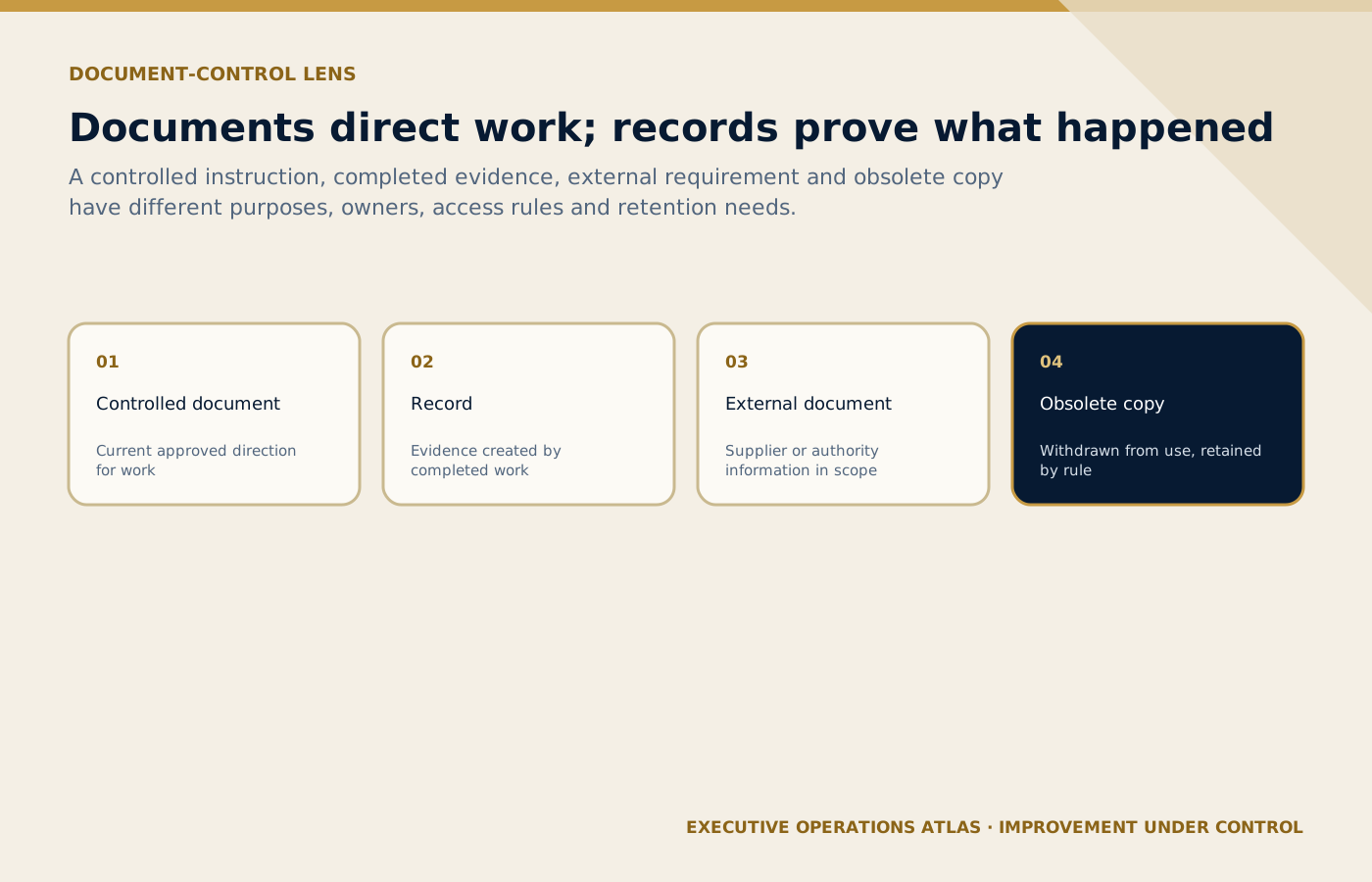
Instructions, completed evidence, external requirements and obsolete copies have distinct purposes and control obligations.
On small screens, scroll the diagram horizontally to read its labels.
#What counts as controlled documented information?
Document control is broader than SOP files. Depending on the organization, controlled items may include:
- policies, manuals, standards, and governance documents;
- process maps and procedures;
- work instructions, checklists, blank forms, and templates;
- service standards and operating matrices;
- risk assessments and contingency plans;
- authority, approval, and escalation matrices;
- training and competence materials;
- supplier operating instructions;
- rate, product, contract, or destination master data;
- message templates and guest-information packs;
- system workflows and embedded guidance;
- externally issued requirements; and
- records generated as evidence of completed work.
The control method should be proportionate. A crisis plan, airport operating instruction, or accessible-service requirement may justify stronger availability and change controls than a low-risk internal reference note.
The article Building a Document Hierarchy for a Tourism Company explains where these items sit in the operating architecture.
#Separate documents from records
The distinction is essential.
- A document directs, defines, or supports work and may be revised: an SOP, blank checklist, template, map, or instruction.
- A record provides evidence of an event, decision, result, or completed activity: a signed checklist, approved quotation, dispatch log, guest-change record, or incident report.
The blank Airport Readiness Checklist may be version 2.1 and controlled as a document. The completed checklist for booking ABC-104 is a record and should normally remain an accurate account of what was checked at that time. It should not silently update when the blank form reaches version 2.2.
This distinction affects numbering, access, retention, correction, and audit trail. A template may be changed through document approval. A record correction should preserve the original information, the authorized amendment, the person, date, and reason according to the applicable rule.
#Establish one source of truth
Every controlled item needs an authoritative location. It may be a document-management system, quality platform, secured intranet, controlled repository, or a well-designed business system. The platform matters less than the control outcomes:
- authorized users can find the current approved item;
- status and ownership are visible;
- change and approval history are preserved;
- access reflects role and information sensitivity;
- obsolete versions are withdrawn from operational use;
- offline or printed copies are managed; and
- required records remain retrievable and protected.
Do not confuse “stored in the cloud” with controlled. A shared drive containing folders named FINAL, FINAL-NEW, APPROVED-USE-THIS, and OLD is a storage location, not a dependable source of truth.
The authoritative copy should be read-only to general users where feasible. Editing rights should be limited to defined roles. Users need a simple route to propose a change without editing the live instruction.
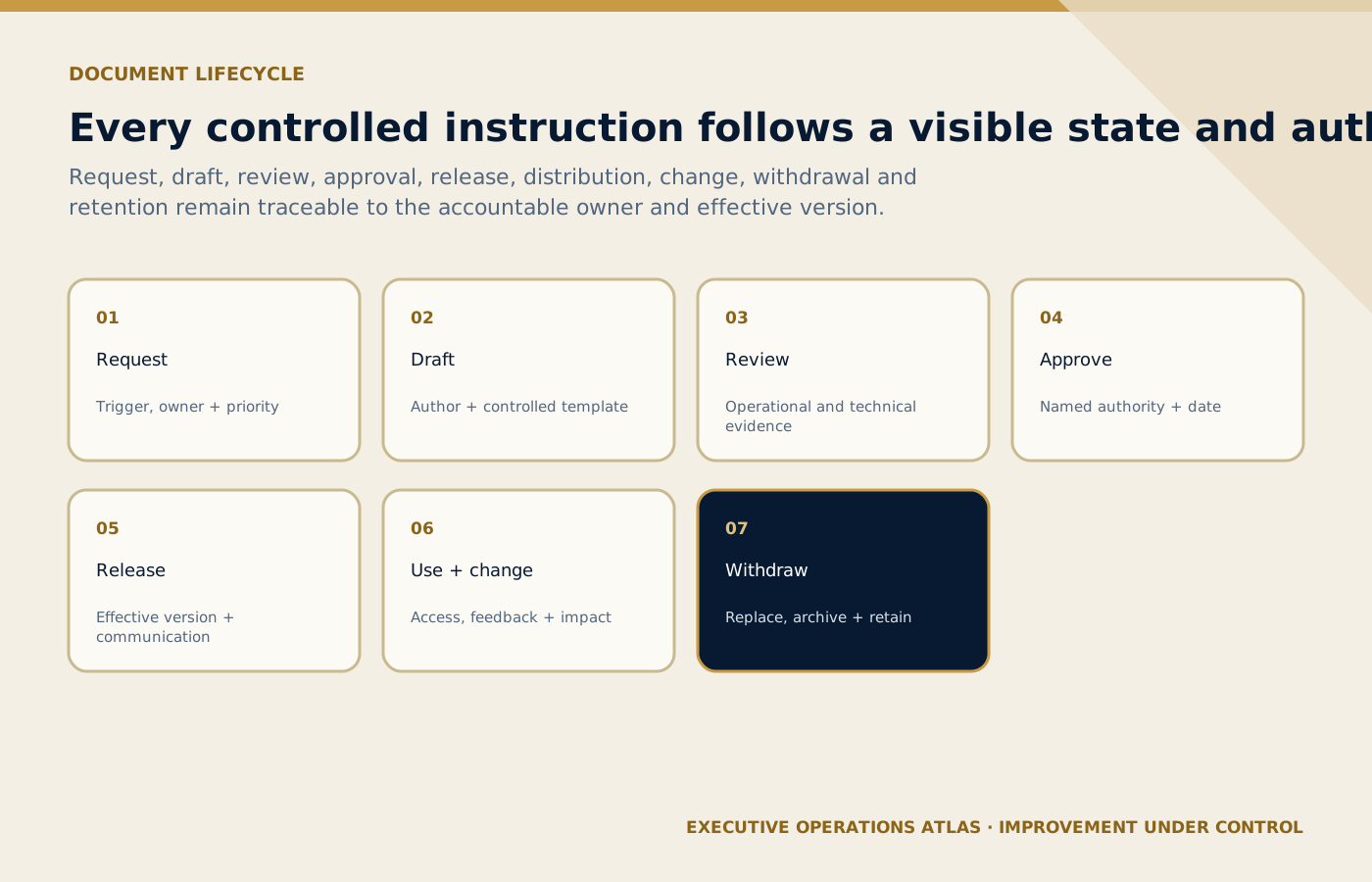
Every state change remains connected to accountable authority, effective status, affected users and the eventual archive decision.
On small screens, scroll the diagram horizontally to read its labels.
#Use a clear document lifecycle
A professional lifecycle has nine connected stages.
#Request or trigger
A new document or revision may be triggered by:
- a new service, destination, client, system, supplier, or requirement;
- process mapping or risk assessment;
- complaint, incident, audit, or trend;
- employee improvement request;
- continuity exercise or operational disruption;
- organizational or authority change; or
- scheduled review.
The request should identify the need, affected process, proposed owner, urgency, and related items.
#Draft
The assigned owner works from the approved template and current source material. Draft status must be obvious. A draft should not enter normal operations merely because someone needs a quick answer.
For a professional SOP structure, see How to Write a Professional SOP: Part 1 — Structure.
#Review
Reviewers should be selected by impact, not copied automatically onto every document. Relevant perspectives may include operations, safety, accessibility, information/privacy, finance, commercial, people/training, technology, legal/compliance, supplier management, and the employees who perform the work.
Review should test process accuracy, usability, risk controls, authority, interfaces, records, measures, and implementation feasibility. Comments need resolution and traceability; endless email chains are not an approval method.
#Approval
Approval confirms that an authorized role accepts the document for release. The approver should understand the scope and implications. High-impact documents may need more than one approval, but excessive approval layers can make maintenance too slow.
The approval record should show at least the document, version, approver, decision, and date. An electronic workflow can support this if identity and audit history are reliable.
#Release
Release is the controlled transition from approved content to operational content. It should assign:
- effective date;
- current status;
- authoritative file or page;
- affected users and locations;
- implementation actions;
- training or briefing requirement;
- replacement or withdrawal action; and
- communication owner.
Approval and effective date do not have to be identical. A future effective date can allow systems, supplier packs, forms, and training to change together.
#Distribution and use
The company identifies where the document must be available and how current access is maintained. Distribution may include internal teams, branches, suppliers, freelance guides, temporary event staff, or client-dedicated operations.
Access must be practical. If an airport host needs seven logins and office-only connectivity to find a two-page instruction, uncontrolled screenshots will appear. Control design should respond to the operating context.
#Review and change
Review confirms whether the item remains suitable and effective. A review date should not create automatic cosmetic revisions. The owner may record “reviewed, no change” with evidence and a new review decision.
Event-based triggers are often more important than the calendar: authority rule, client contract, system workflow, destination access, supplier capability, incident learning, or process design changes.
#Withdrawal and replacement
When a new version becomes effective, obsolete operational copies should be removed, access disabled, or clearly marked so they cannot be mistaken for current instructions. Related training, templates, system prompts, links, and supplier packs should be checked.
#Retention, archive, and disposal
Superseded documents may need retention for legal, contractual, audit, knowledge, or dispute purposes. Archive access should be controlled and the status unmistakable. Disposal should follow approved retention, privacy, security, and legal requirements.
#Minimum document metadata
Metadata helps the user and the system identify the item. A useful register may include:
| Field | Purpose |
|---|---|
| Document ID | Unique identification and reference |
| Title | Clear description of controlled content |
| Type | Policy, process map, SOP, instruction, checklist, template, external document, or other class |
| Process/department | Operational ownership and search |
| Owner | Accountability for suitability and review |
| Approver | Release authority |
| Version | Current approved revision identifier |
| Status | Draft, in review, approved-not-effective, effective, suspended, superseded, archived, or withdrawn |
| Approval/effective date | Governance and operational timing |
| Review date/trigger | Maintenance control |
| Classification/access | Protection and authorized availability |
| Source location | Link or system reference to authoritative content |
| Related documents | Dependency and change-impact analysis |
| Supersedes/superseded by | Version lineage |
| Retention rule | Archive and disposal decision |
Scroll horizontally to read every column. Keyboard: focus the table, then use the arrow keys.
What to learn: Read each row across to connect Field with Purpose. Compare the rows to identify the relevant field for your situation; use the accompanying section to interpret the result.
The status vocabulary must be defined. “Approved” may mean content has been accepted but is not yet effective. “Archived” should not be confused with current operational use.
#Choose a version convention that communicates change
A simple convention can use:
- 1.0 for the first approved release;
- 1.1 for an approved minor change that does not alter the process’s fundamental intent, authority, or control design; and
- 2.0 for a major change that materially affects scope, sequence, roles, risks, authority, records, systems, training, or external commitments.
The numbers have no universal meaning. Define them in the company rule and connect them to review and implementation requirements. A short wording change can still be major if it changes a safety, guest, accessibility, payment, or authority decision. Conversely, correcting formatting may not require a new operational release if the control procedure permits an administrative correction.
Avoid version identifiers such as:
- Final;
- Final Final;
- Latest;
- Use This One;
- Ahmed edits;
- 15Aug-new; or
- Copy of SOP.
Dates can support identification, but they do not explain lineage or status on their own.
#Maintain a meaningful change history
“Updated document” is not a useful change description. Record what changed and why.
Example:
| Version | Effective date | Change summary | Reason/trigger | Approved by |
|---|---|---|---|---|
| 1.0 | [Date] | First controlled release | New airport-transfer process | Head of Operations |
| 1.1 | [Date] | Updated terminal meeting-point reference and supplier confirmation field | Airport instruction and audit finding | Airport Operations Manager |
| 2.0 | [Date] | Added accessible-vehicle validation, revised no-show authority, and introduced offline control pack | Risk assessment and process redesign | Head of Operations |
Scroll horizontally to read every column. Keyboard: focus the table, then use the arrow keys.
What to learn: Read each row across to connect Version with Effective date, Change summary, Reason/trigger, Approved by. Compare the rows to identify the relevant version for your situation; use the accompanying section to interpret the result.
The change summary should help trainers, users, reviewers, and auditors understand impact. Detailed redlines may be stored separately when needed.
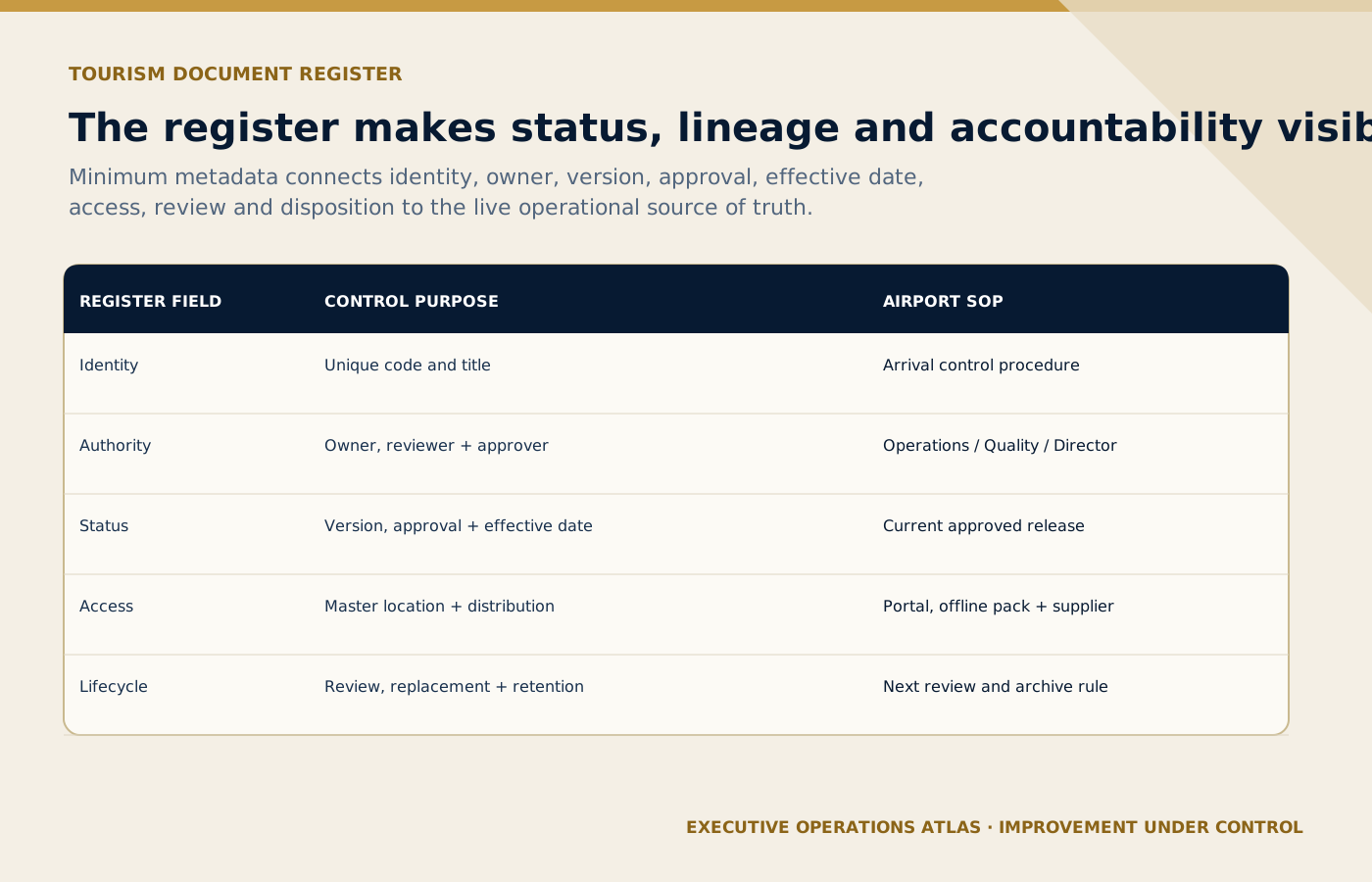
The register exposes the minimum metadata needed to recognize the current master and manage its operational lineage.
On small screens, scroll the diagram horizontally to read its labels.
#Practical tool: the tourism document register
The register is the management view of controlled information. It should not duplicate every file manually if the system can generate reliable metadata, but someone must own its quality.
At minimum, the register should let a manager answer:
- What documents are currently effective?
- Which process, destination, client, or service do they govern?
- Who owns and approves them?
- Which reviews are due or triggered?
- Which documents depend on an external source?
- Which items have unresolved change actions?
- Which users, suppliers, systems, or training products are affected by a revision?
- Where are controlled offline or printed copies held?
- Which superseded items remain in circulation?
- What evidence shows release and implementation?
Add filters by type, status, owner, location, process, sensitivity, and review window. A dashboard can help, but reliable metadata comes first.
#Perform change-impact analysis
Changing one SOP may affect an entire document network. Before approval, check:
- upstream policy, process, risk, and authority sources;
- downstream instructions, checklists, forms, and templates;
- system fields, automations, dashboards, and permissions;
- roles, job aids, training, and competence evidence;
- supplier contracts and operating packs;
- client-specific annexes;
- guest-facing messages and information;
- offline kits and printed copies;
- related records and retention; and
- measures, audit criteria, and reports.
This is why The Operating System Behind a Professional Tourism Company treats documents as one layer of a connected management system, not isolated files.
For commercial work, a change to a quotation workflow may affect approval limits, costing tools, proposal templates, CRM stages, and records. Tour Quotation & Pricing Masterclass illustrates the operational dependencies behind a market-facing output.
#Control external documents
Tourism companies rely on information they do not own: airport instructions, authority requirements, venue manuals, attraction conditions, hotel procedures, client specifications, insurance conditions, transport rules, and supplier documents.
The company may not revise these sources, but it should control how they affect operations:
- identify the authoritative issuer and source;
- define who monitors change;
- record the relevant version or issue date where appropriate;
- assess operational impact;
- update internal processes and communications;
- withdraw obsolete local copies; and
- retain evidence of review and implementation.
Copying an external instruction into an internal SOP can create divergence. Where practical, reference the controlled source and translate only the actions the company needs, with monitoring ownership.
#Manage printed and offline copies
Some tourism operations need offline availability. Connectivity may be poor in an airport, remote activity, vehicle, desert camp, cruise terminal, or event venue. The answer is not to prohibit offline documents and hope the network works. It is to design controlled offline use.
Possible controls include:
- a defined offline pack with owner and inventory;
- version and effective date visible on every page;
- controlled-copy number or assigned device/location for critical printouts;
- scheduled synchronization or pre-operation verification;
- QR code or short link to check current status when online;
- expiration or “valid through” rule for time-sensitive packs;
- issue and withdrawal log;
- named responsibility for replacing copies; and
- reconciliation of offline records into the main system.
Do not print “uncontrolled when printed” and assume the risk is solved. The warning informs the reader; it does not remove the company’s responsibility to make required instructions usable.
#Treat email and messaging as distribution channels, not the source of truth
Email, collaboration platforms, and messaging groups are useful for alerts and live coordination. They become risky when attachments are treated as enduring authoritative copies.
A release message should preferably link to the controlled item and state:
- what changed;
- effective date;
- affected roles or services;
- required action or training;
- withdrawal instruction for old copies; and
- contact for questions.
If operational conditions require an attachment, show its identifier and version and define how recipients confirm current status. Critical decisions made in chat should be transferred to the appropriate record.
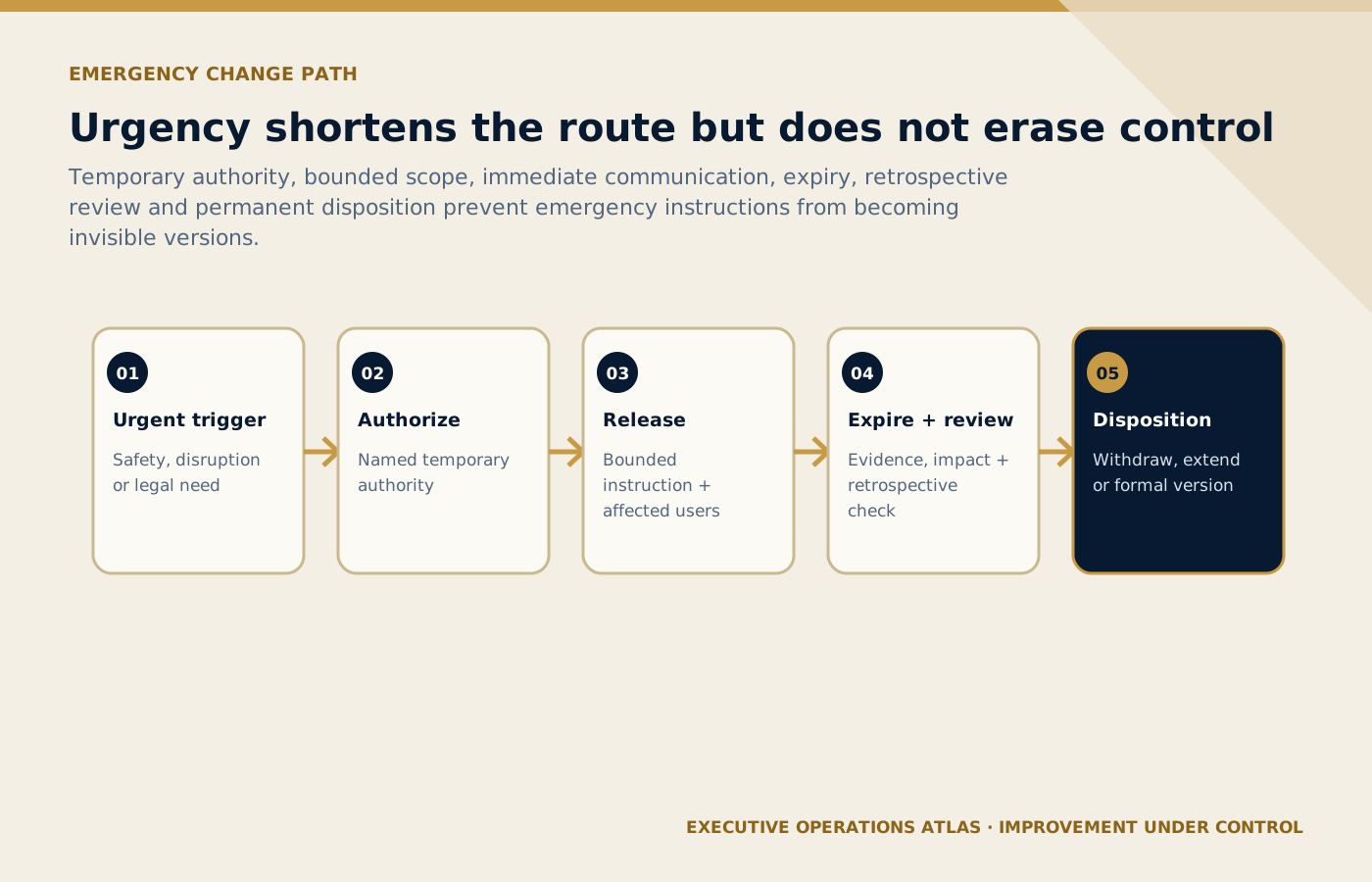
Urgency creates a shorter governed route with expiry and retrospective review, not an invisible uncontrolled version.
On small screens, scroll the diagram horizontally to read its labels.
#Design an emergency-change path
Urgent operating conditions sometimes require a change before the normal review cycle can finish. A controlled emergency-change process should define:
- what qualifies as urgent;
- who may authorize temporary content;
- minimum risk and impact review;
- affected users and communication method;
- start time and expiry;
- the item or service affected;
- visible temporary status;
- record of decision and distribution;
- validation after release; and
- deadline for normal review, replacement, or withdrawal.
“Temporary” instructions are especially dangerous when they have no expiry or owner. They can outlive the event and conflict with later approved work.
#Connect document control to access and responsible technology
Control should make information available to those who need it and protect it from inappropriate access or alteration. Consider role-based permissions, personal data, client-confidential information, commercial rates, security-sensitive instructions, and supplier access.
Automation or AI may assist drafting, classification, comparison, search, or review. It should not silently publish unapproved operational instructions. Define human approval, source validation, access, audit trail, and limits. Responsible AI for Tourism provides a broader governance perspective.
#Measure whether control works
Do not measure only the number of documents uploaded. Useful indicators may include:
- percentage of current documents with assigned owner and approver;
- triggered or scheduled reviews completed on time;
- average time from approved change to implementation;
- overdue temporary instructions;
- obsolete copies found during operations or audits;
- broken links or inaccessible content;
- users able to find the correct document in a realistic test;
- supplier acknowledgment and implementation completion;
- training updates completed before effective date;
- record-reconciliation errors after offline operation; and
- incidents or rework involving obsolete or conflicting information.
Metrics should lead to improvement. A perfect “review completion” score is weak if reviewers merely click approve.
#Audit by following the information
A practical audit can select one live service and trace:
- the current process and SOP;
- the user’s access route;
- related checklist, form, template, and system screen;
- supplier instruction and acknowledgment;
- training or briefing evidence;
- one completed record;
- one recent change and approval; and
- one obsolete version and its withdrawal.
Then test a frontline scenario: “Show me the current instruction for an unlisted airport guest,” or “How do you know this printed movement plan is current?” The response reveals whether control exists in daily work.
#Common failure modes
#The folder hierarchy is the control system
Folders can help navigation, but they do not automatically provide status, approval, change history, access, or withdrawal.
#Every document has a different owner and template logic
Local flexibility becomes fragmentation. Standardize metadata, lifecycle, and status while allowing content proportionate to risk.
#Review dates drive unnecessary version inflation
A review can confirm no change. Record the review without pretending content changed.
#The master is current, but operations are not
Publishing is not implementation. Check training, supplier packs, systems, offline copies, and related tools.
#Documents are controlled, but embedded guidance is ignored
System help text, automated messages, forms, dashboards, and AI-supported workflows can direct work just as strongly as a PDF. Include them in the control scope.
#Obsolete documents disappear completely
Removing old versions from use is correct; destroying required history is not. Apply approved retention and archive controls.
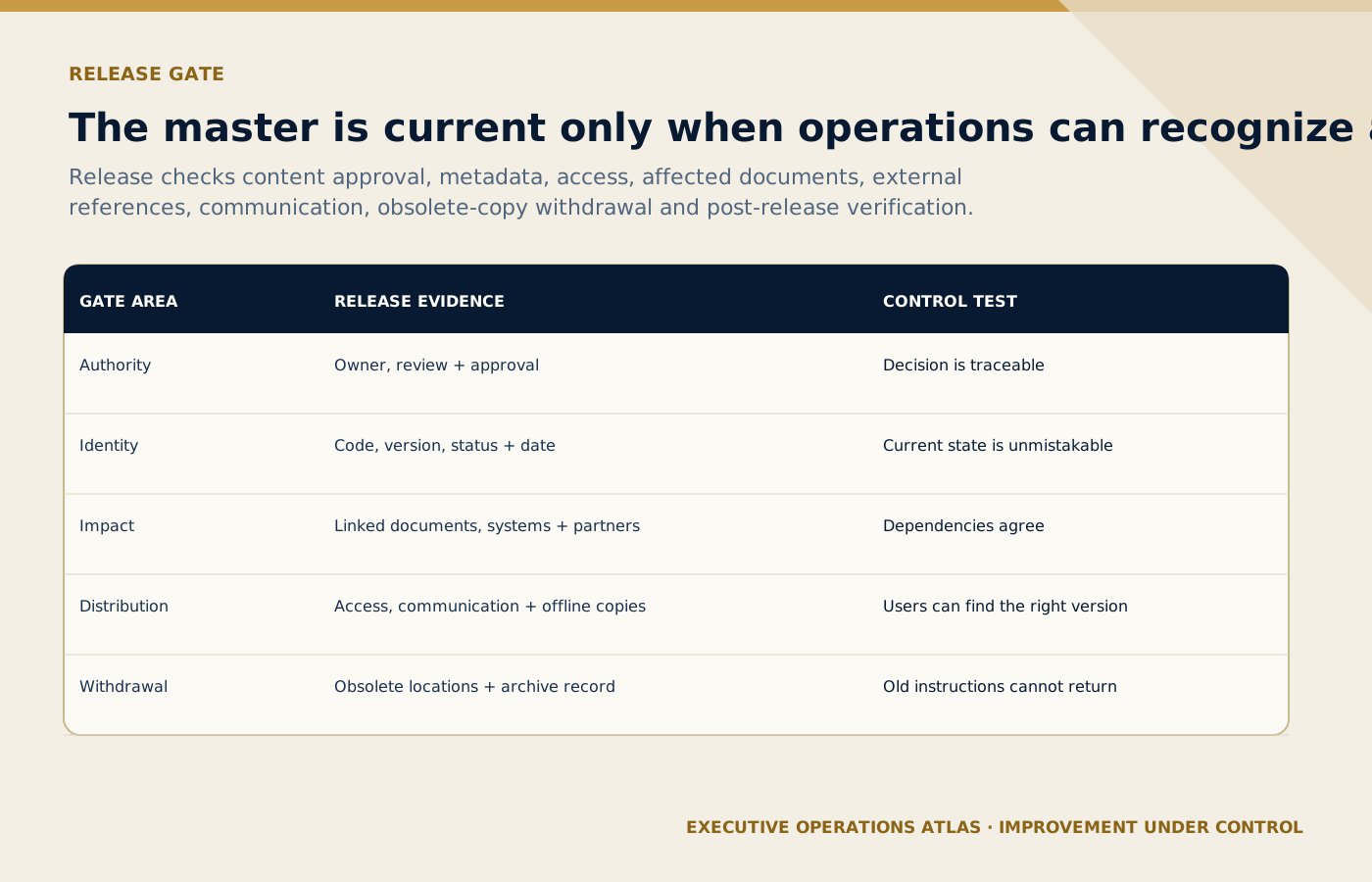
A release is complete only when affected users can find the right version and old instructions can no longer return to use.
On small screens, scroll the diagram horizontally to read its labels.
#A compact release checklist
Before making a document effective, confirm:
- purpose, scope, and owner are clear;
- current sources and external requirements were checked;
- affected users and interfaces reviewed the content;
- risks, authority, exceptions, records, and measures are addressed;
- approval is complete and traceable;
- version, status, and effective date are visible;
- related documents, systems, templates, and training are updated;
- affected employees and suppliers can access the document;
- obsolete copies have a withdrawal action;
- offline and printed use is controlled;
- implementation evidence is defined; and
- the next review or event trigger is assigned.
Document control is complete only when the operation changes in a managed way.
#Key takeaway
The value of an SOP does not end at approval. It depends on whether the right people can use the right information at the right time and whether the organization can prove how that information was created, changed, released, protected, and retired.
Keep one source of truth, make status unmistakable, control the full lifecycle, design for mobile and offline reality, connect every change to its operational dependencies, and treat obsolete information as a live risk. That is how a tourism company turns a document library into a dependable operating system.
#Sources and further reading
Primary standards, institutional guidance and professional references used to support this article.
- ISO 10013:2021 — Quality management systems — Guidance for documented information
- ISO 9000 family — Quality management
- ISO 9001 explained
- ISO 10007:2017 — Quality management — Guidelines for configuration management
- ISO 9001:2015 process approach guidance
Editorial note: This article provides an operational document-control framework, not legal, regulatory, privacy, information-security, records-retention, accessibility, or certification advice. Organizations should validate controls against applicable law, contracts, authority requirements, standards, insurance conditions, and their approved management systems.
Connect this guide to your next step
Continue with related methods and the wider series.
- Related guidePolicy vs SOP vs Work Instruction vs Checklist vs Form vs Template
A professional document system does not ask every document to do everything. It gives each document one clear job and connects the documents around the work employees actually perform.
- Related guideHow to Write a Professional SOP: Part 1 — Structure
A professional SOP is not a long checklist and not a policy essay. It is a controlled operating document that connects purpose, scope, roles, procedure, exceptions, records, measures, approval, and revision.
- Related guideSOP Writing Part 5: Evidence, Documentation and Legal Defensibility
Design records that capture timely, factual, proportionate evidence of what happened—without turning operational documentation into improvised legal conclusions.
Put this article into practice
- Define approval, versioning, access, revision and withdrawal controls so employees can identify the current approved document.
- purpose, scope, and owner are clear;
- current sources and external requirements were checked;
- affected users and interfaces reviewed the content;
Your next step
Use this connected method when you are ready to define competence, practise the task, authorise employees and verify adoption through operating evidence.
Review Training, Competency, and SOP Adoption in Tourism